<assembly.drawing.page />
assembly.drawing.page defines a paper sheet for outline drawings of an assembly or board. Give each page a unique name to select it during CLI export.
import { assembly } from "@tscircuit/core"

export default () => (
  <assembly.device name="controller">
    <board name="carrier" width="80mm" height="50mm" thickness="1.6mm">
      <hole name="H1" diameter="3.2mm" pcbX={-35} pcbY={-20} />
      <hole name="H2" diameter="3.2mm" pcbX={35} pcbY={-20} />
      <hole name="H3" diameter="3.2mm" pcbX={35} pcbY={20} />
      <hole name="H4" diameter="3.2mm" pcbX={-35} pcbY={20} />
    </board>
    <assembly.drawing.page name="carrier-inspection" size="iso_a4">
      <assembly.drawing.partview
        partRef=".carrier" name="plan" displayName="PLAN"
        direction="z+" width="110mm" height="85mm"
        centerX="-70mm" centerY="30mm"
      />
      <assembly.drawing.partview
        partRef=".carrier" name="overview" displayName="ISOMETRIC"
        direction="isometric" width="110mm" height="85mm"
        rightOfRef=".plan" centerY="30mm"
      />
      <assembly.drawing.titleblock
        title="CONTROLLER CARRIER - INSPECTION"
        identificationNumber="CTRL-CARRIER-001"
        revisionIndex="A" legalOwner="tscircuit"
        creator="tscircuit" approvalPerson="PRELIMINARY"
        sheetNumber={1} numberOfSheets={2}
      />
    </assembly.drawing.page>
    <assembly.drawing.page name="carrier-section" size="iso_a4">
      <assembly.drawing.partview
        partRef=".carrier" name="section" displayName="SECTION THROUGH H3 AND H4"
        direction="y+" width="220mm" height="65mm" centerY="25mm"
        section={{ axis: "y", offset: "20mm", keepSide: "less", hatchSpacing: "1mm" }}
      />
      <assembly.drawing.titleblock
        title="CONTROLLER CARRIER - MOUNTING HOLE SECTION"
        identificationNumber="CTRL-CARRIER-002" revisionIndex="A"
        legalOwner="tscircuit" creator="tscircuit"
        approvalPerson="PRELIMINARY" sheetNumber={2} numberOfSheets={2}
      />
    </assembly.drawing.page>
  </assembly.device>
)
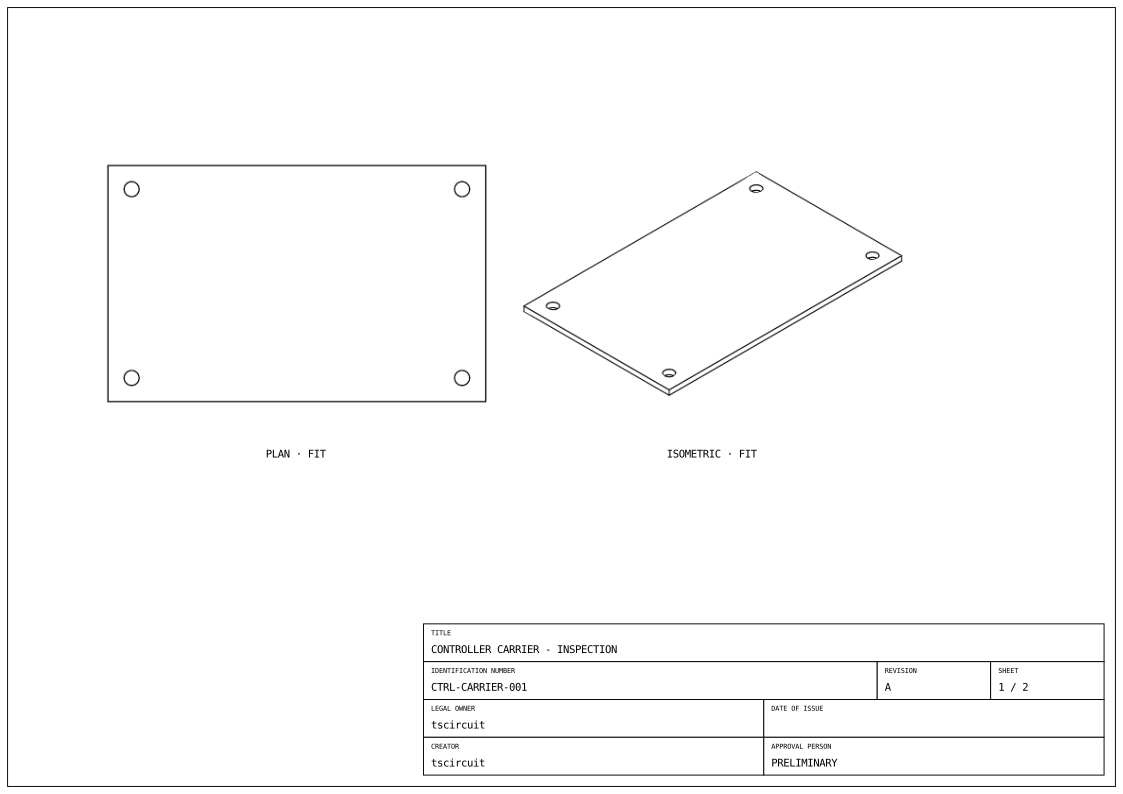
Use the Drawing tab to inspect each sheet. The arrows below it switch between the inspection and section pages.
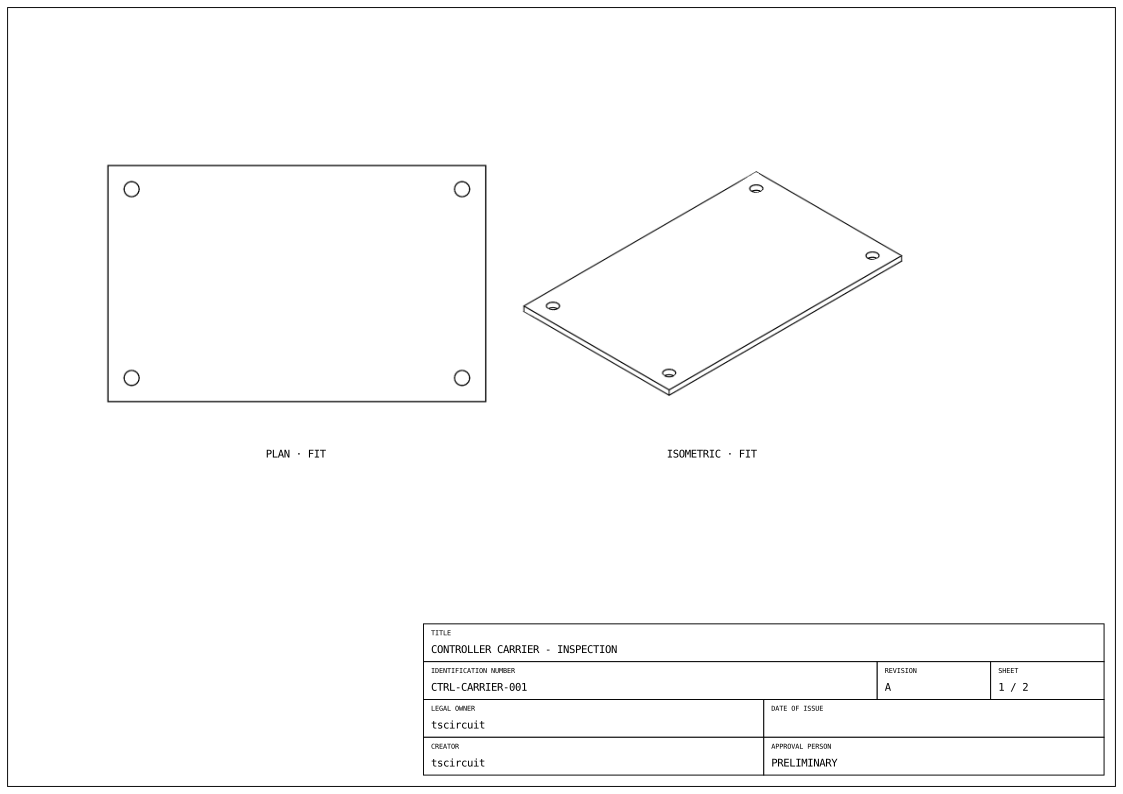
The exported sheet shows the carrier's outline and four mounting holes:
Properties
| Property | Description |
|---|---|
name | Page name used by tsci build --drawing and tsci export --drawing. |
displayName | Optional human-readable page label. |
size | Standard paper size: iso_a0 through iso_a4, or ansi_a through ansi_e. |
orientation | landscape (default) or portrait, when using size. |
width, height | Both required for a custom sheet. Numbers are millimetres; unit strings such as "210mm" also work. Use these instead of size and orientation. |
children | One or more assembly.drawing.partview elements and optionally one assembly.drawing.titleblock. |
Choose either a standard size or custom width and height. Page dimensions describe paper, not the physical assembly. A page needs at least one part view to export.
To annotate measurements, put assembly.drawing.dimension elements inside a part view. Dimensions can measure view extents, named CAD outlines, hole spacing, and edge-to-hole offsets.
Export the page
Save the example as carrier.circuit.tsx:
tsci build carrier.circuit.tsx --drawings
tsci export carrier.circuit.tsx --drawing carrier-inspection
Build writes dist/carrier/drawings/carrier-inspection.svg. Export writes carrier-inspection.svg beside the input file. To select by generated filename and choose a destination:
tsci export carrier.circuit.tsx --drawing carrier-inspection.svg --output inspection.svg
name is the page identity, not a path. The CLI makes a safe SVG filename from it, replacing spaces and other unsupported filename characters with hyphens. Unnamed pages use drawing-1.svg, drawing-2.svg, and so on, in page order. Use unique page names; colliding filenames are rejected.
See tsci build for exporting every page and tsci export for single-page selection and output paths.